
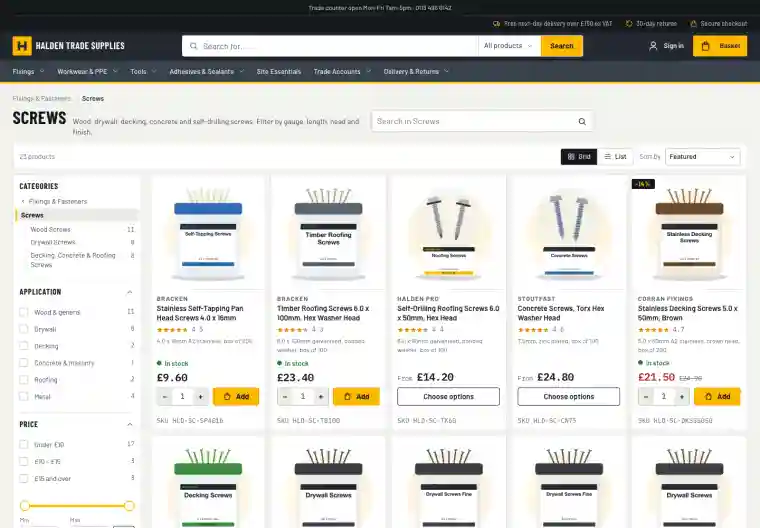
Taxonomy
A structure for your catalogue
Levels like Fixings, Screws and Wood Screws, each with the attributes that matter there.
Typed attributes
Text, numbers with units, yes or no, choose one or choose several, so "40mm" and "40" mean the same thing.
Inherited down the tree
Set an attribute once on Fixings and every kind of screw, nail and bolt has it.
Rules that keep data clean
Required attributes and allowed values are checked as products are edited, with every problem listed at once.
A completeness score
Every product shows how complete its data is, so you know what to fill in first.
Shown how you want
Choose per attribute whether it filters as a list, a colour swatch or a number range.
Classify as you edit
A taxonomy tab on the product page picks the level and shows the attributes to fill, without leaving the page.
Edit in the admin
Restructure without fear
The taxonomy is edited in the admin, as a draft. Before anything changes you see what it affects.
Drag to reorder, rename and move levels and attributes
Before a change that removes something, see how many products it touches
Two people can't overwrite each other's changes
Product data is never deleted by a change to the structure
Duplicate the taxonomy to try a new structure safely
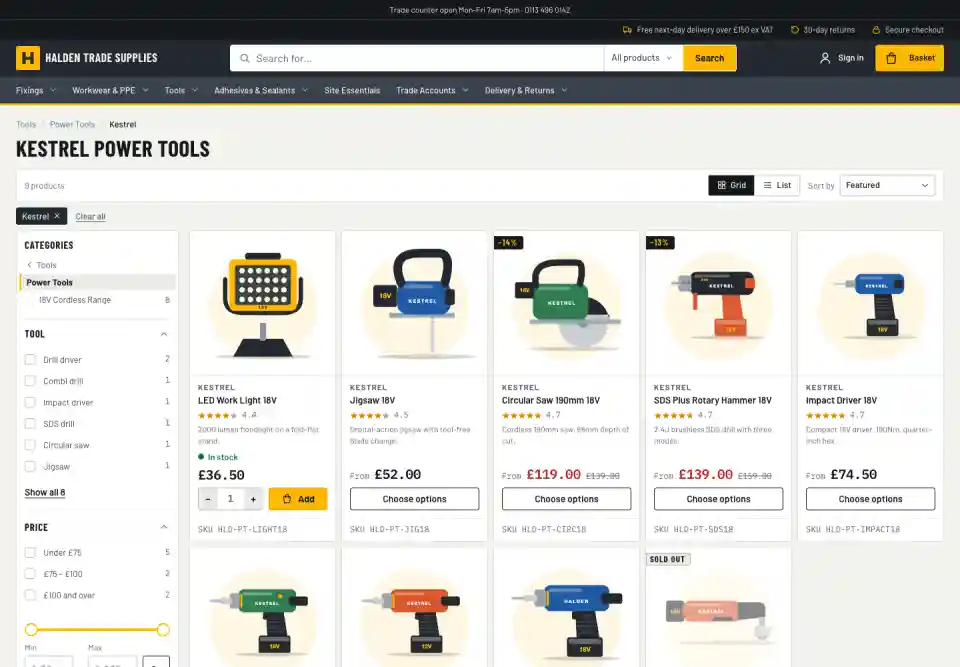
Categories
Category pages from your data, not just lists
Categories can be hand-picked collections, levels of the taxonomy, saved searches such as "stainless steel fixings", or a list in an order you choose. Mix them in one tree.
Clean addresses for every category, with filters, sorting and pages
Links to the parent, child or neighbouring categories, with counts
Breadcrumbs on product pages that follow the category tree
An All products page with every filter
Move from collections gradually: old collection links go to the category that replaced them
The taxonomy engine and data-driven categories come with Enterprise.
Explore
More on search & merchandising
Site search
Typo-tolerant search with synonyms, autocomplete and search within a category, so shoppers find things in their own words.
Filters
A filter rail chosen for each set of results, with colour swatches, ranges and counts that stay honest. Built for phones too.
Brand & colour landing pages
A page for every brand or colour in a category, with its own heading and description, ready to be found in Google.
Merchandising & insight
Decide what comes first, steer searches, and see which searches turn into sales.