
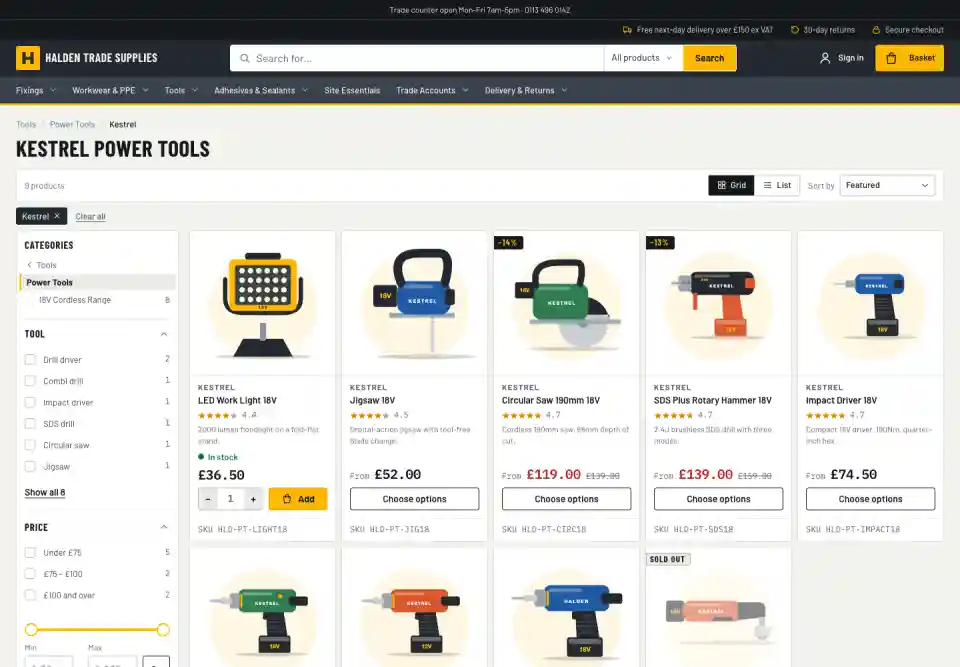
How it works
One rule, a page per brand or colour
Set a rule once
Choose the categories and the attribute: brand, colour, or another attribute with a list of values. Child categories can follow the parent's rule.
Pages only where they're worth it
A page is created only when a brand or colour has enough products, so there are no thin pages with one item.
Your words on every page
Each page has a heading, an introduction and a description for search results. Use the defaults or write your own per brand.
Linked where shoppers look
Categories show "Shop by brand" links, and choosing a brand in the filters leads to its page.
On the category page
Shop by brand, one click away
Each category lists its brand pages with product counts, so shoppers and search engines can reach them.

Search engines
Listings that search engines understand
Filters can create thousands of near-identical addresses. Badger keeps them out of search results, so each category and landing page gets the credit.
Filtered and sorted views point search engines back to the category itself
Brand and colour pages are the exception: they're meant to be found
Categories and landing pages are listed in your sitemap automatically
Links from adverts and newsletters still show the full category
Landing pages come with Enterprise, built on the taxonomy engine and category tree.
Explore
More on search & merchandising
Site search
Typo-tolerant search with synonyms, autocomplete and search within a category, so shoppers find things in their own words.
Filters
A filter rail chosen for each set of results, with colour swatches, ranges and counts that stay honest. Built for phones too.
Taxonomy & categories
Structured product data that drives filters, specifications and category pages, edited in the admin.
Merchandising & insight
Decide what comes first, steer searches, and see which searches turn into sales.