
Ranking
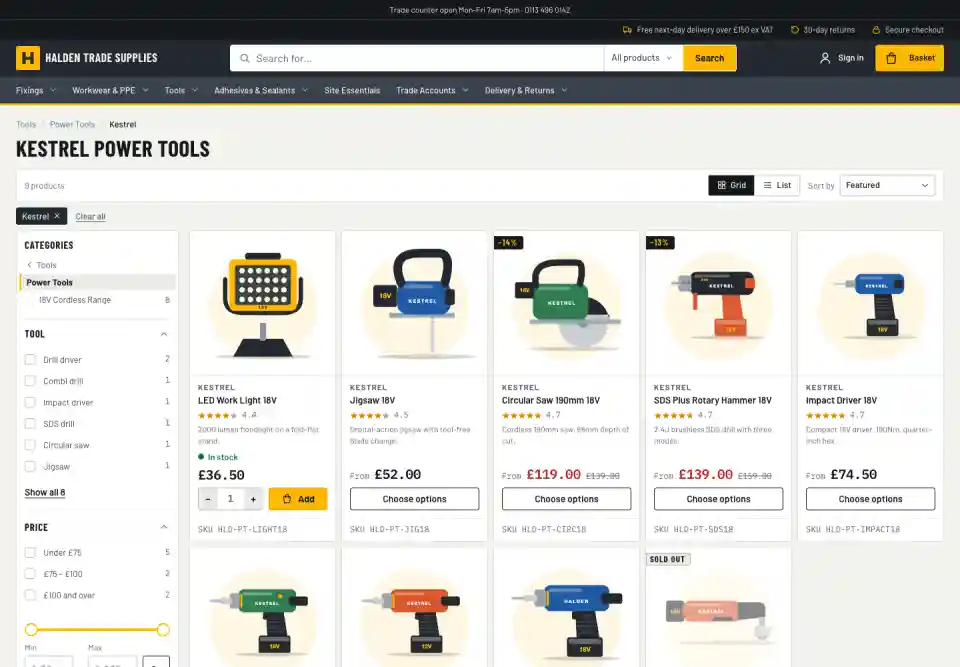
Good order without lifting a finger
Best match first
The closest matches lead, with a match in the name counting for more than one in the description. You can change the balance.
In stock before sold out
Products shoppers can buy today come before ones they can't.
Best sellers rise
Products that sell well move up on their own, using the last 90 days of orders. A Best selling sort is in every theme.
Your call
Pin, boost and bury
For any category and any search term, choose products to put first, to lift, or to push down.
Pinned products first, in the order you set
Boosted products next, buried ones last, everything else as before
Preview the result before you save it
A shopper who picks their own sort, such as price, gets exactly that
Set by product code, so it survives a catalogue import
Search rules
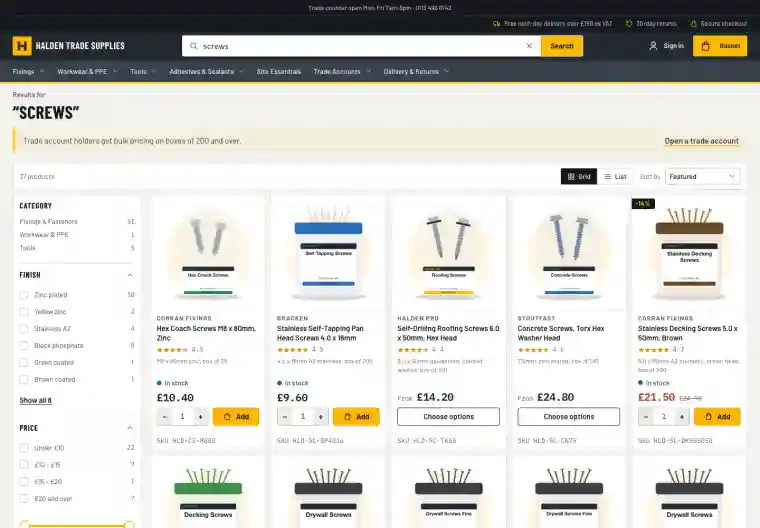
Redirects and messages
Send a search for "returns" to the returns page, or put a message with a link above the results for "screws".
Up to 500 rules per shop
Searches that went somewhere are counted in your analytics
Insight
Learn from every search
Search terms show you what to stock, rename or fix, and which searches actually sell.
Top searches
What people look for most, over any date range in the last 90 days.
Searches that found nothing
The products you don't stock, or stock under another name, with a fix beside each: add a synonym or a search term.
Click-through and conversion
For each search: how often it led to a product view, an add to basket and an order, and the revenue that followed.
Searched often, rarely clicked
Searches whose results aren't working, with a link to fix them.
Explain a search
Why a product does or doesn't appear, which words matched and which synonyms applied.
Private by design
Only search terms and totals are kept, never who searched. Terms that look like personal details are dropped.
Explore
More on search & merchandising
Site search
Typo-tolerant search with synonyms, autocomplete and search within a category, so shoppers find things in their own words.
Filters
A filter rail chosen for each set of results, with colour swatches, ranges and counts that stay honest. Built for phones too.
Taxonomy & categories
Structured product data that drives filters, specifications and category pages, edited in the admin.
Brand & colour landing pages
A page for every brand or colour in a category, with its own heading and description, ready to be found in Google.