
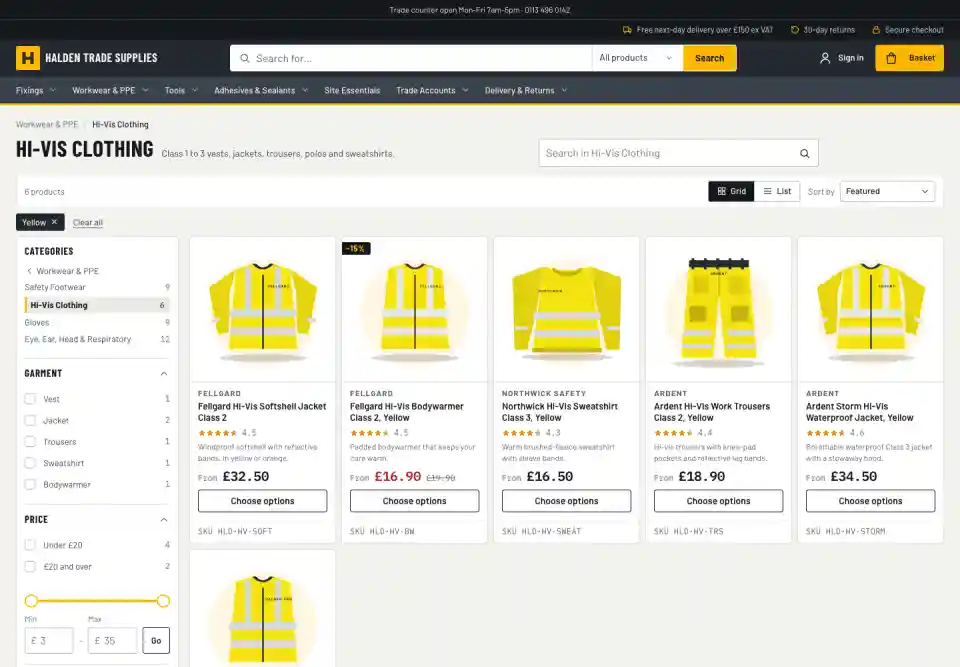
Chosen for the results
Only the filters that help
A broad search shouldn't list every attribute in the catalogue. A filter appears when enough of the results have it, and disappears when it couldn't narrow them.
Price, brand and stock in a consistent place, the rest in order of usefulness
The first few groups open, the rest one click away
A filter you've chosen never disappears
Long lists, such as brands, get their own search box
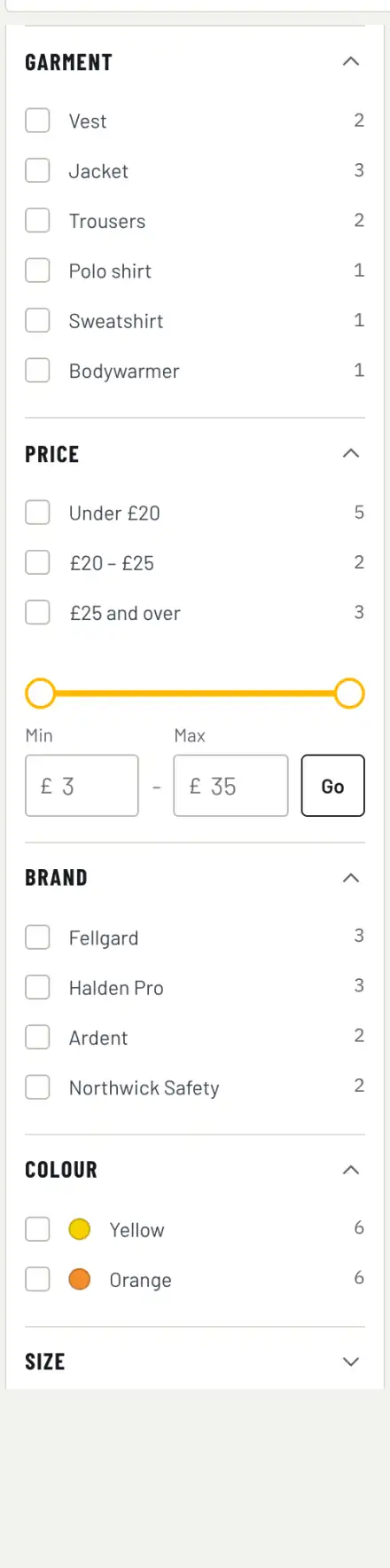
Filter types
Every kind of filter a catalogue needs
Colour swatches
Colours show as colours, including clear and multi-coloured, set per attribute.
Number ranges
Lengths, sizes and diameters as a few sensible ranges plus a slider, instead of thirty separate values.
Price
Ranges shaped by the results, typed limits and a slider.
Star rating
"4 stars and up", shown only when it would make a difference.
In stock
Reads real stock levels, so a product that sold out this morning drops out of the filter.
Size and colour that mean it
Black and size 9 means a product with a black size 9 in stock, not a black one and a size 9 one.
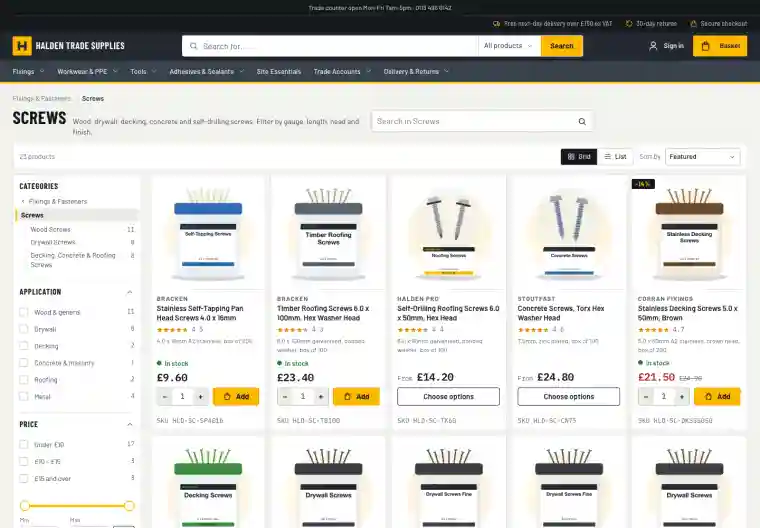
Counts you can trust
No dead ends
Every number next to a filter is the number of products you'll get. Choose one length and the other lengths still show, with their counts, so shoppers can compare before they commit.
Counts update with every choice
Filters that would leave nothing are hidden
The page and its counts load together, so nothing jumps around
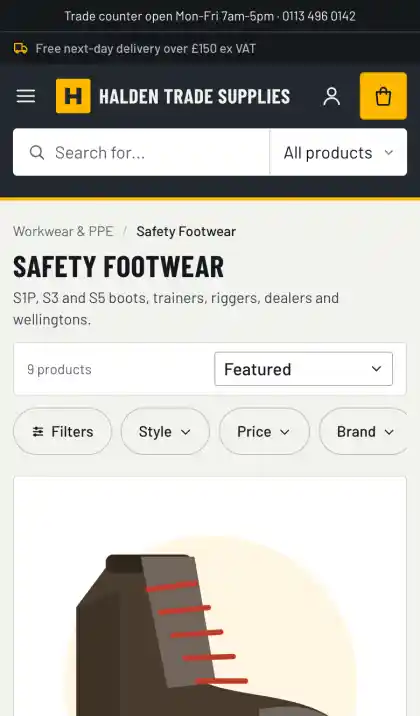
On phones
Filtering that suits a thumb
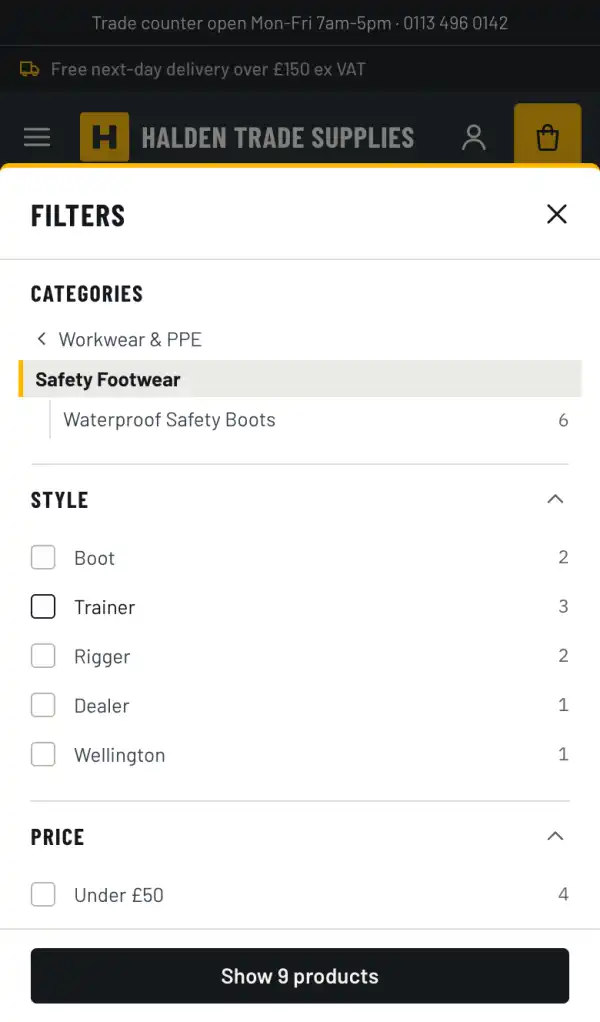
Most shoppers filter on a phone. The most useful filters sit in a bar above the results, and the full panel lets shoppers pick several things before applying them.
One tap for In stock and On sale
A pill for each top filter opens the panel at that group
The panel says how many products you'll get before you apply it
The same filtering in all six storefront themes
Filters come with Enterprise, built on the taxonomy engine.
Explore
More on search & merchandising
Site search
Typo-tolerant search with synonyms, autocomplete and search within a category, so shoppers find things in their own words.
Taxonomy & categories
Structured product data that drives filters, specifications and category pages, edited in the admin.
Brand & colour landing pages
A page for every brand or colour in a category, with its own heading and description, ready to be found in Google.
Merchandising & insight
Decide what comes first, steer searches, and see which searches turn into sales.